While you watch videos on the subway, Yeogiya shows each station you stop at in large text over the video and vibrates. Your stop is announced one station early.

Works with earphones in, with the phone on silent, and with a video playing full screen.
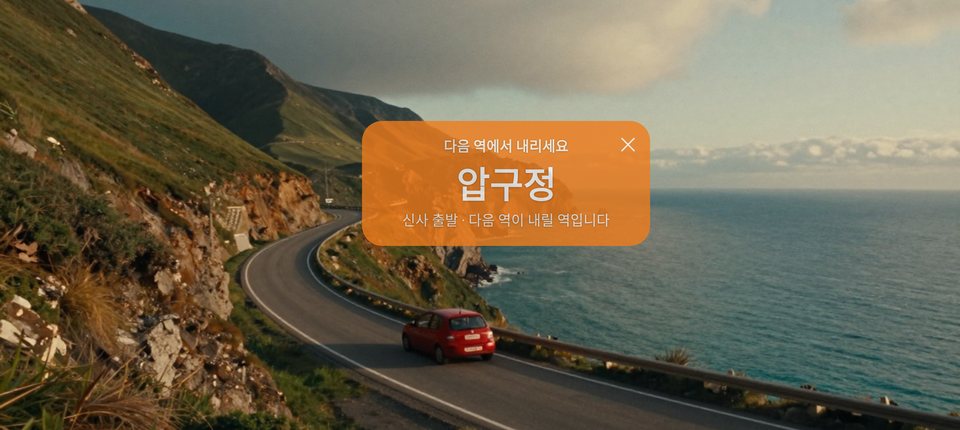
Leaving the station before yours: ‘Get off at the next stop’. Arriving: ‘Get off now’. It keeps vibrating until you get off.

On Android a small label shows this stop and the next without covering your video. Drag it wherever you like.
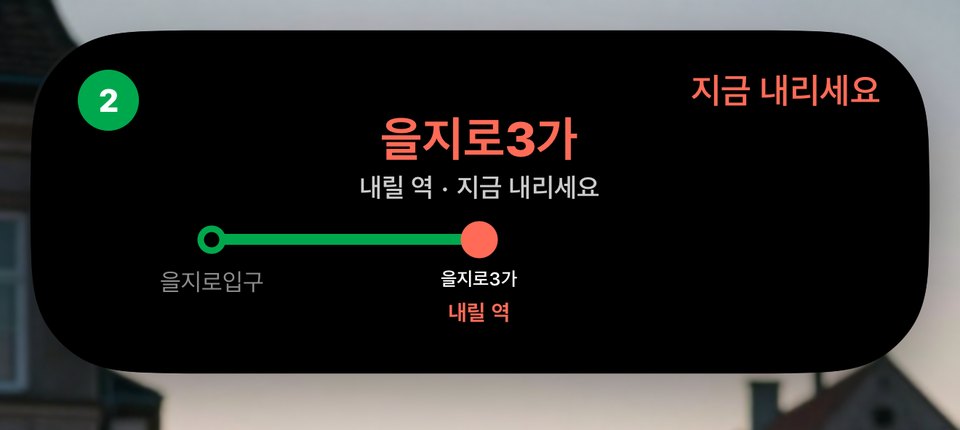
While you use other apps, the Live Activity expands in the Dynamic Island; iPhones without it get a card at the top of the screen. It’s on the Lock Screen too.
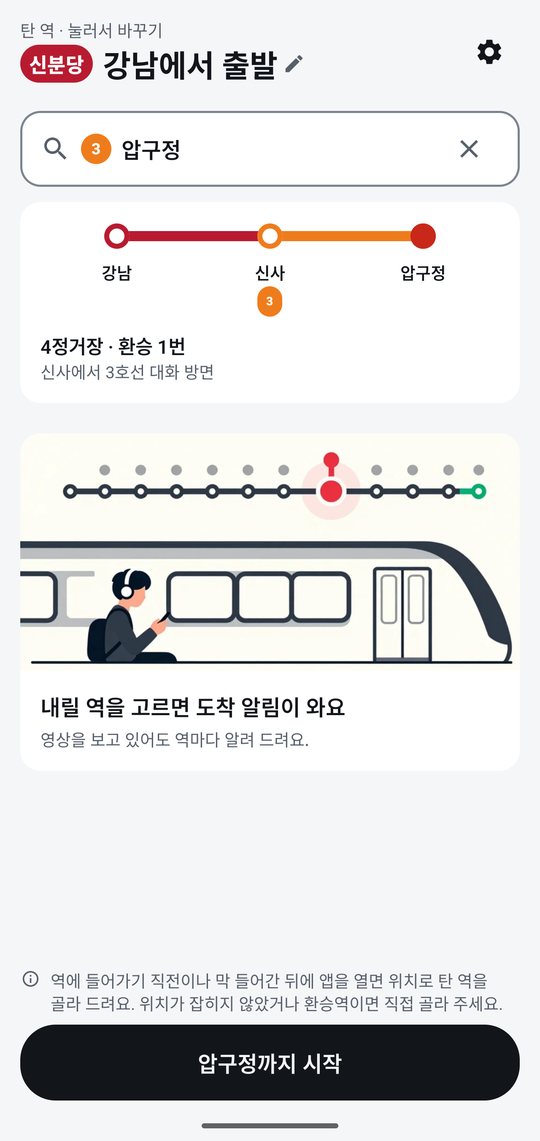
Pick a station on another line and Yeogiya shows the line and direction to transfer to, plus the fastest car to board, and alerts you at the transfer station.
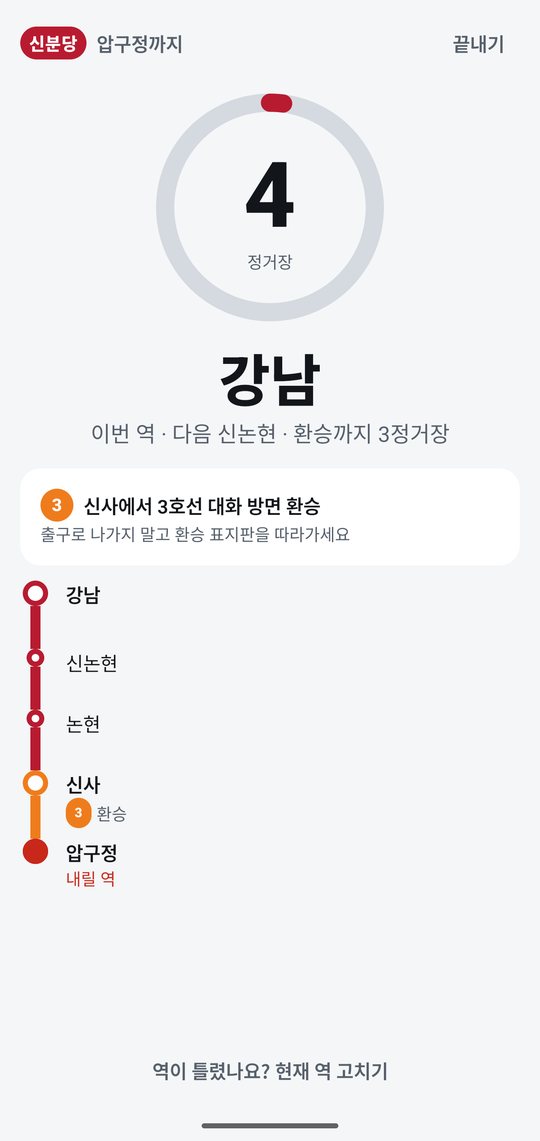
Underground there is no GPS, so the phone’s motion sensor counts each stop the train makes.
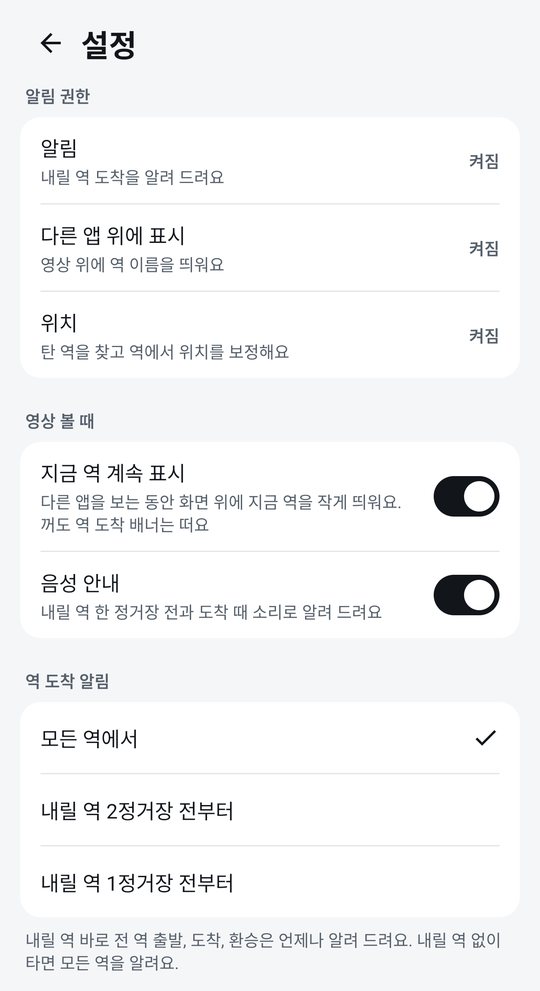
Every station, or from 2 or 1 stops before yours. Voice announcements can be turned on or off.
Set it up once; next time just tap a recent trip. Covers 47 urban and metropolitan rail lines in Seoul, Busan, Daegu, Gwangju and Daejeon — about 1,300 stations.
Screens, alerts and voice announcements follow your phone’s language: Korean, English, Japanese, Simplified Chinese, Spanish and French. Handy while travelling in Korea.
The phone’s accelerometer detects the train departing and stopping, and Yeogiya counts the stops. Location fixes that appear briefly inside stations are used to correct it. Signal holds or sudden stops can confuse it, so there is a ‘Fix current station’ button on screen and in the notification.
iOS doesn’t allow drawing over other apps, so Yeogiya uses a Live Activity. iPhones with a Dynamic Island expand it; others show a card at the top of the screen. On your first ride, tap Allow when the Lock Screen asks to allow Live Activities. When it’s time to get off, a Time Sensitive notification is also sent so it gets through Focus modes.
Korean, English, Japanese, Simplified Chinese, Spanish and French, following your phone’s language. Route data covers subway systems in South Korea only.
Nowhere. Location and sensor data are processed only on your phone. When the app opens, it sends only basic info such as device type and app version to count users. See the Privacy Policy.
While you ride it keeps using the motion sensor and location, so it does use battery. Tap ‘End’ after you get off. When you’re not riding it uses neither.
Yes. No ads and no in-app purchases.